


THE ENERGY ENHANCEMENT MEDITATION COURSE BY VIDEO
"TRADITIONAL MEDITATIONS ARE DESIGNED TO FAIL!"
FIND YOUR DEEEP PEACE!
Enquiries - sol@energyenhancement.org
- AN INCREDIBLE STREAMING VIDEO MEDITATION COURSE FROM OUR OWN SERVERS...
DIRECT TO YOU IN THE COMFORT OF YOUR OWN HOME!!
INDIA, PALOLEM BEACH AND IGUAZU FALLS
ENERGY ENHANCEMENT MEDITATION RETREATS...
CLICK TO SEE THE LATEST
PICTURES FROM THE JUNE 2023 ENERGY ENHANCEMENT MEDITATION INDIA TOUR

GOA INDIA... ENERGY ENHANCEMENT MEDITATION RETREATS...
AND.. AN INCREDIBLE STREAMING VIDEO COURSE FROM OUR OWN SERVERS...
ENERGY ENHANCEMENT MEDITATION - THE MOST ADVANCED ONLINE COURSE AND LIVE COURSE IN THE WORLD!
RE-INTRODUCING ANCIENT EFFECTIVE TECHNIQUES REMOVED FROM TRADITIONAL MEDITATIONS TO SPEED UP YOUR PROCESS...
FOR THOSE WHO WANT MORE, FASTER!!
TO FIND YOUR DEEP PEACE AND OPEN YOUR THIRD EYE!!
DOWNLOAD THIS THIRD EYE ENERGY ENHANCEMENT BOOK - ONE OF 53 BOOKS GIVEN FREE ON SIGN UP! - BY SATCHIDANAND

Opening the Third Eye.. CLICK BELOW...
http://www.energyenhancement.org/Sacred-Energy/Opening-the-Third-Eye/Opening-the-Third-Eye.pdf
OPEN YOUR THIRD EYE WITH ENERGY ENHANCEMENT MEDITATION ALCHEMICAL VITRIOL TO REMOVE YOUR ENERGY BLOCKAGES WITH THE ENERGY ENHANCEMENT MEDITATION SEVEN STEP PROCESS!
"I was not sure if this was wise, as I knew nothing other than what I had read on the web site and the testimonials, which I was a bit skeptical about! However, I am now adding my own because if you read this you might be a bit like me..
MS (Ireland)
Human Resources Director, Europe/Asia,
of a Fortune 500 US Multinational Company
INFINITE SPIRITUAL ENERGY!
SPEEEED UP! YOUR PROCESS!!
DEEP PEACE ENLIGHTENMENT! NOW!!

GET ACCESS TO INFINITE FUSION POWER FROM THE CENTRAL SPIRITUAL SUN WITH ENERGY ENHANCEMENT MEDITATION
TO OPEN YOUR THIRD EYE WITH ENERGY ENHANCEMENT MEDITATION REMOVED FROM ALL TRADITIONAL MEDITATIONS - ALCHEMICAL VITRIOL AND THE KUNDALINI KRIYAS TO ACCESS YOUR DEEP PEACE USING INFINITE SPIRITUAL ENERGY!
REMOVE YOUR ENERGY BLOCKAGES WITH THE ENERGY ENHANCEMENT MEDITATION SEVEN STEP PROCESS!
FREE!! WITH LEVEL 1!! Energy Enhancement Level 0 Super Chi Prana, Power, Strength, Immortality https://www.energyenhancement.org/LEVEL-Energy-Enhancement-Super-Chi-Immortality-Prana-Meditation-Course.htm
Energy Enhancement LEVEL 1 Immortality - Gain Infinite Energy
from the Chakras above the Head - Power UP!! Gain Super Samadhi Kundalini
Alchemical VITRIOL Energy and the Kundalini Kriyas. Ground All Negative Energies.
The Merkaba. Access Quantum
Immortality
https://www.energyenhancement.org/Level1.htm
Energy Enhancement LEVEL 2 - The Energy Enhancement Seven Step
Process to Totally Remove All Energy Blockages from the Infinite Chakras above
the Head, Connecting you with your Higher Self Infinite Energy! Totally Remove Negative Emotions,
Heal Your DNA, Remove your Karma from the Womb!
https://www.energyenhancement.org/Level2.htm
Energy Enhancement LEVEL 3 - Eliminate Energy Blockages - The
Removal of Strategies. The Karma Cleaning Process to Totally Eliminate All Your
Karma!!
Remove your Karma from this Lifetime and all your previous Lives... Lifetimes...
https://www.energyenhancement.org/Level3.htm
Energy Enhancement LEVEL 4 - Stop the Suck!! Heal the Family!!
MASTER ENERGY CONNECTIONS ENERGY CORDS, CORD ATTACKS ON ENERGY BLOCKAGE PORTALS, THE SEXUAL ADDICTION BLOCKAGES AND RELATIONSHIPS
https://www.energyenhancement.org/Level4.htm
THE ONLY COURSE TO TEACH THE SEVEN STEP PROCESS!!
TO REMOVE ALL ENERGY BLOCKAGES!!
ENERGY ENHANCEMENT MEDITATION - DEEPER THAN THE INTELLECT,
MORE PROFOUND THAN THE MIND!
"EE Student...
The course has exceeded my expectations in every way. I have been meaning to
send a progress report and to thank you for the opportunity to progress in your
teaching.
I have been learning each initiation slowly, absorbing the videos and
contemplating the student experiences. I practice the 7 steps daily, working on
my Antahkarana, chakras etc. and it has become second nature to do so.
I practiced Level 1 for years and it laid a good foundation for Level 2. Ever
since I was introduced to the idea of energy blockages, I have been aware of
their presence in my body. For a long time, when focussing on removing them, my
attention would divert to the blockage which made removing them a very slow
process. The 7 steps has removed them very effectively.
There have been blockages in my body that are stubborn to go still. I use the 7
steps and repeat the process yet they are still there. Either my method is not
correct or they are very dense. However, recently in one of the videos you
mentioned sending 4 powers towers into the center of the earth and connecting it
to the base chakra.
I started to do this and the blockages in the head started to dissolve (these
have been the stubborn ones for a long time) I also started to connect with the
5th chakra below the base chakra and I can feel its energy profoundly with the
same results. Now only a few remain and I believe like you said, the blockages
in the base chakra (which I was able to remove) corresponds to the crown chakra.
I compare my mind to a year ago, and it used to be filled with thoughts. These
thoughts were fear and anger which are now gone. It is like having a new life
with my eyes wide open and living in the present moment.
My body radiates with
energy and life is so smooth as things often just fall into place. I feel a lot
of love and want to help. Serving others is the most fulfilling thing for me
now. What I want or rather desire is so small that I feel utterly free."
"I was not sure if this was wise, as I knew nothing other than what I had read on the web site and the testimonials, which I was a bit skeptical about! However, I am now adding my own because if you read this you might be a bit like me..
MS (Ireland)
Human Resources Director, Europe/Asia,
of a Fortune 500 US Multinational Company
SERVING YOUR MEDITATION SINCE 1990 - ENQUIRIES AND BOOKINGS EMAIL sol@energyenhancement.org
CLICK HERE FOR ALICE BAILEY BOOKS
CLICK HERE FOR THE ENERGY ENHANCEMENT BOOK
CLICK HERE FOR OSHO BOOKS
CLICK HERE FOR SIVANANDA BOOKS
CLICK HERE FOR SACRED TEXT ARCHIVE
DOWNLOAD HOLYBOOKS CLICK HERE!!
DOWNLOAD 52 FREE! ENERGY
ENHANCEMENT EBOOKS NOW!!
DOWNLOAD
NOW!!


DOWNLOAD 52! FREE BOOKS NOW!! AND MORE!!
OR JUST EMAIL sol@energyenhancement.org
WHAT COULD BE MORE IMPORTANT THAN THIS?
GROUND NEGATIVE ENERGIES! ACCESS INFINITE SPIRITUAL ENERGY!!
ALCHEMICAL VITRIOL
THE ADVANCED ALCHEMICAL VITRIOL KUNDALINI KRIYAS OF KRIYA YOGA
AND CONTACT WITH KUNDALINI CHAKRA IN THE CENTER OF THE EARTH WHOSE NUCLEAR FIRES CAN BURN UP EVEN THE DEEPEST KARMA!! ENERGY BLOCKAGES! DEPRESSION!VITRIOL IS A LATIN ACRONYM FOR AN ANCIENT EFFECTIVE GUIDED MEDITATION TO OPEN THE THIRD EYE..
Visita Interiore Terrae Rectificando Invenies Occultem Lapidem and the Earth ConnectionTRANSLATION.. VISIT THE CENTER OF THE EARTH, THERE YOU WILL FIND THE PHILOSOPHERS STONE WHICH CAN BURN UP EVEN THE DEEPEST KARMA WITH ENERGY ENHANCEMENT MEDITATION!
BURN IT UP!
GROUND IT DOWN!!
WITH ALCHEMICAL VITRIOL!!
Originally this Ancient Effective - ONLY FOUND IN Energy Enhancement Meditation - Technique of Alchemical VITRIOL came from Ancient the Chinese Five Elemental Circulations of the Qi, the Kundalini Kriyas of Babaji and then from Ancient Rome.... Alchemical VITRIOL!
An Ancient Meditation designed to remove Trauma!!
VITRIOL IS A LATIN ACRONYM - SHOWING THE AGE OF THIS ANCIENT EFFECTIVE TECHNIQUE WHICH HAS BEEN TOTALLY REMOVED FROM ALL TRADITIONAL MEDITATIONS TO SPEED UP YOUR PROCESS OF ENLIGHTENMENT, TO OPEN YOUR THIRD EYE!!
ALL ENERGY ENHANCEMENT STUDENTS OPEN THEIR THIRD EYE!
Visita Interiore Terrae Rectificando Invenies Occultem Lapidem
TRANSLATION.. VISIT THE CENTER OF THE EARTH, THERE YOU WILL FIND THE PHILOSOPHERS STONE WHICH CAN BURN UP EVEN THE DEEPEST KARMA WITH ENERGY ENHANCEMENT MEDITATION!
VITRIOL, WHICH HAS BEEN TAUGHT FOR THOUSANDS OF YEARS FROM ANCIENT CHINA TO ANCIENT ROME HAS BEEN REMOVED FROM ALL TRADITIONAL MEDITATIONS BY THE DARK SIDE!
LEARN VITRIOL WITH ENERGY ENHANCEMENT MEDITATION!
THE ONLY COURSE TO TEACH THE SEVEN STEP PROCESS TO REMOVE ALL ENERGY BLOCKAGES!!
ENERGY ENHANCEMENT MEDITATION - DEEPER THAN THE INTELLECT,
MORE PROFOUND THAN THE MIND!
TRANSMUTE ALL PAIN AND FEAR WITH THE ANCIENT TECHNIQUE OF ALCHEMICAL VITRIOL
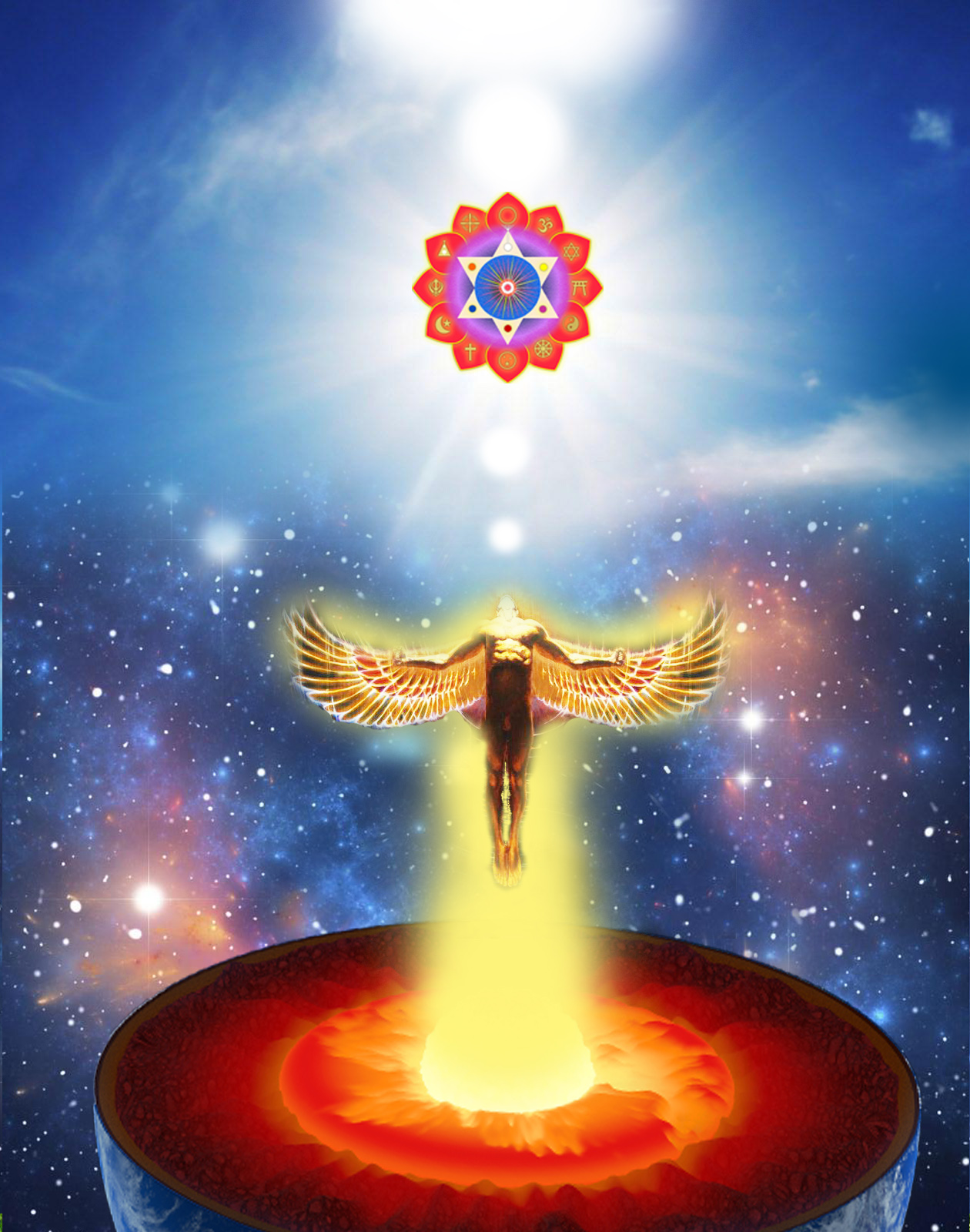
Energy Enhancement Meditation Alchemical VITRIOL
Immortality, Alchemy, VITRIOL, and the The Philosopher’s Stone - Alchemist Tamil Siddars Bhogar, Vainamonen, Tolkien, Babaji, Patanjali, Alchemical Taoist Lao Tsu, and the Sufi, Arabic, Western Alchemical Tradition
Deeper!
And the Energy Blockages go Deeper!
The Energy Enhancement
Meditation Translation of the Heart Sutra of the Buddha
The Energy Enhancement Meditation that Brings Us to the Other Shore
Avalokiteshvara Buddha while practicing deeply with Energy Enhancement
Meditation that Brings Us to the Other Shore, suddenly discovered that all of
the five Skandhas, the five aggregates of clinging, are created from Emptiness,
the pure incandescent energy of God, and with this realisation he Healed them, transmuted all
of them, using Energy Enhancement Meditation - Alchemical VITRIOL and the Energy
Enhancement Seven Step Process, all Energy Blockages back into the pure
incandescent energy of God.
TRUTH - THE PSYCHIC INFORMATION WHICH RULES THE WORLD - THE INFINITE CHAKRAS ABOVE THE HEAD
GET INFINITE SPIRITUAL ENERGY!
CLICK TO DOWNLOAD, "OPENING THE THIRD EYE" HERE
THE ANCIENT ENERGY ENHANCEMENT MEDITATION TECHNIQUE OF THE KUNDALINI KRIYAS - GET ACCESS TO INFINITE FUSION POWER FROM THE CENTRAL SPIRITUAL SUN WITH ENERGY ENHANCEMENT MEDITATION
GET INFINITE SPIRITUAL ENERGY!
GET ACCESS TO INFINITE FISSION POWER FROM KUNDALINI CHAKRA IN THE CENTER OF THE EARTH WHOSE NUCLEAR FIRES CAN BURN UP EVEN THE DEEPEST KARMA!! WITH ENERGY ENHANCEMENT MEDITATION!!
MULTI YEARS OF FANTASTIC TESTIMONIALS MAKES ENERGY ENHANCEMENT THE COURSE TO COME ON, THE VIDEO MEDITATION COURSE TO STUDY!!
"I was not sure if this was wise, as I knew nothing other than what I had read on the web site and the testimonials, which I was a bit skeptical about! However, I am now adding my own because if you read this you might be a bit like me..
Don't hesitate - Go for it!.
"
read more
MS (Ireland)
Human Resources Director, Europe/Asia, of a Fortune 500 US Multinational Company

 " The
energy techniques given in Energy Enhancement have never been explained to me
in
Aikido (even Ki Aikido), Yoga or Ashtanga Yoga or on any meditation
course that I have been on like Transcendental Meditation, and have only been partly taught to me previously by Taoist master
Mantak Chia and on Tantra Courses.... "
Phillip Chester (GB)
Change manager working directly to the Managing Directors of several fortune 500 companies
" The
energy techniques given in Energy Enhancement have never been explained to me
in
Aikido (even Ki Aikido), Yoga or Ashtanga Yoga or on any meditation
course that I have been on like Transcendental Meditation, and have only been partly taught to me previously by Taoist master
Mantak Chia and on Tantra Courses.... "
Phillip Chester (GB)
Change manager working directly to the Managing Directors of several fortune 500 companies
 "
Thank you so much Devi Dhyani and Satchidanand for being a channel of these Energy Enhancement Techniques in which many people can receive tremendous help, protection and Inspiration. .... "
Dr Susana Macri (US, New York) Medical Doctor ( Summoned by Satya Sai Baba just before 9/11 to leave New York)
"
Thank you so much Devi Dhyani and Satchidanand for being a channel of these Energy Enhancement Techniques in which many people can receive tremendous help, protection and Inspiration. .... "
Dr Susana Macri (US, New York) Medical Doctor ( Summoned by Satya Sai Baba just before 9/11 to leave New York)


"
My gut instinct told me that you were both good people and that you would help me with my goals. Here is my advice to anyone who is unsure if it is wise to fly half way around the world to join you: DO IT! " ... Arwen Evenstar (US) Dancer/Artist/Actor and manager of summer campIn Spiritual Life, if you are not going forwards, you are going backwards.
And are you going forwards as fast as you can?
You might have learned to Ground Negative Energies....
GET INFINITE SPIRITUAL ENERGY!
GET ACCESS TO INFINITE FUSION POWER FROM THE CENTRAL SPIRITUAL SUN IN ENERGY ENHANCEMENT MEDITATION
GET INFINITE SPIRITUAL ENERGY!
GET ACCESS TO INFINITE FISSION POWER FROM KUNDALINI CHAKRA IN THE CENTER OF THE EARTH WHOSE NUCLEAR FIRES CAN BURN UP EVEN THE DEEPEST KARMA!! IN ENERGY ENHANCEMENT MEDITATION
Energy Enhancement gives the Ancient Effective techniques to remove all energy blockages. Overcome all negativity. Attain a clear, unfiltered connection with infinite energy which alone powers up the chakras, powers up the brain, powers up the psychic powers, powers up the imagination, the intuition, the intellect, the hope, the happiness, THE POWER OF ATTAINING EVERYTHING WE WERE SENT TO THIS PLANET TO ACHIEVE!
In India, a Guru is a, "Remover of Darkness"
A person who is a Gooru is a person who can remove
the Goo!!
A person who is a Gooru is a person who can remove
the negativity, the Negative Karmic Mass which infests all of us by access to
an Infinite Intensity of Energy which transmutes all it touches..
An Infinite Intensity of Energy which transmutes all it touches
In the past, only special people, Gurus, had the psychic power to remove Goo, - negativity, Negative Karmic Mass
To create peace where once there was strife, to remove Energy Blockages, Cancer, heart disease,
PTSD - Post Traumatic Stress Disorder, to Heal and to create Peace, Infinite Peace in the Mind, to stop depression, anomie, meaninglessness.
But now, with Energy Enhancement Meditation, and Only with Energy Enhancement Meditation, can ordinary people, - you and me and everyone in the whole World have the psychic power to remove Goo.. Become a Goo Roo Remove Negativity.
Remove Negative Karmic Mass, to create peace where once there was strife, to remove Energy Blockages, Cancer, heart disease, PTSD - Post Traumatic Stress Disorder, to Heal and to create Peace, Infinite Peace in the Mind, to stop depression, anomie, meaninglessness.
An Infinite Intensity of Energy which transmutes all it touches..
THE ENERGY ENHANCEMENT MEDITATION COURSE BY VIDEO
- AN INCREDIBLE STREAMING VIDEO COURSE FROM OUR OWN SERVERS...
DIRECT TO YOU IN THE COMFORT OF YOUR OWN HOME!!
COURSES IN INDIA, PALOLEM BEACH AND IGUAZU FALLS HOLIDAY RETREATS
CLICK TO SEE THE LATEST
PICTURES FROM THE JUNE 2023 ENERGY ENHANCEMENT MEDITATION INDIA TOUR
WITH ENERGY ENHANCEMENT MEDITATION, EVERYONE IS A GOO ROO
THE ALCHEMICAL EMERALD TABLET OF HERMES TRISMEGISTUS

AN INFINITE CIRCULATION OF INFINITE ENERGY!!
WHICH ANYONE ON THE ENERGY ENHANCEMENT VIDEO COURSE CAN LEARN TO ACCESS INFINITE ENERGY, REMOVE ENERGY BLOCKAGES, CLEAN KARMA, AND MASTER ENERGY CORDS TO CREATE PERFECT RELATIONSHIPS.
REMOVE ENERGY BLOCKAGES WITH THE SEVEN STEP PROCESS!
WHEN THE BLOCKAGES ARE REMOVED THE AURA EXPANDS AND ENERGY IS RADIATED TO ALL WHO WATCH THE ENERGY ENHANCEMENT VIDEO COURSE WITH SATCHIDANAND - PEOPLE CHARGE UP AND IMMEDIATELY BECOME MORE ENERGETIC, BLOCKAGES THROWN OUT, ILLUMINATION PROCEEDS.
WHEN THE BLOCKAGES ARE REMOVED THE AURA EXPANDS AND ENERGY IS RADIATED TO ALL WHO WATCH THE SACRED DANCE VIDEOS OF DEVI DHYANI, PEOPLE ENERGISE! PEOPLE GET KUNDALINI EXPERIENCES, GET JOY, GET ANGRY AS BLOCKAGES ARE THROWN OUT!

 HOW ARE THEY STEALING
YOUR SPIRITUAL ENERGY?
HOW ARE THEY STEALING
YOUR SPIRITUAL ENERGY?
Everyone is Already the victim of these Implant Addiction Energy Blockages.
WANT TO LEARN MORE ABOUT ENERGY ENHANCEMENT MEDITATION?
WANT TO LEARN WHY "TRADITIONAL MEDITATION TECHNIQUES ARE DESIGNED TO FAIL"?
If you have not been informed about implant addiction blockages then you too are a slave
..a sacrificial slave whose death is the ultimate sacrifice to Satan.
https://www.energyenhancement.org/STEALING-YOUR-SPIRITUAL-ENERGY-VAMPIRE-SEX-DRUG-AND-FOOD-ADDICTION-IMPLANT-BLOCKAGES-ENERGY-CONNECTIONS-BETWEEN-PEOPLE-CHAKRAS-AND-IMPLANT-CONTROL-VAMPIRE-ENERGY-BLOCKAGES-sexual-Implants.htm
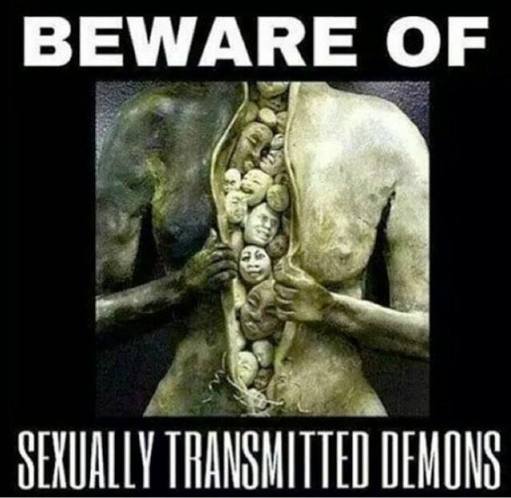
SEXUAL VAMPIRISM – STD's - SEXUALLY TRANSMITTED DEMONS - Sexual and Drug Addiction Implant Blockages, Energy Cords and Sex..
VIDEO FOR MEDITATION RETREATS IN IGUAZU FALLS AND INDIA, PALOLEM BEACH
CLICK TO FIND OUT MORE ABOUT THE MEDITATION RETREATS IN IGUAZU AND INDIA
|
|
Click Here for 4 Night, 3 Day Rapid and Transformative Third Eye Opening Energy Enhancement Meditation Retreat, Iguazu Falls, Brazil JULY - NOVEMBER 2023 & 2024 FREE! 3 LEVELS VIDEO MEDITATION COURSE |
|
Click Here for 6 Night, 5 Day Rapid and Transformative Third Eye Opening, Energy Blockage Removing, Energy Enhancement Meditation Retreat, at the Seventh Natural Wonder of the World, Iguazu Falls, Brazil 2023 & 2024 FREE! FULL 6 LEVEL VIDEO MEDITATION COURSE |
|
|
FREE! 3 LEVELS VIDEO MEDITATION COURSE |
|
Click Here for 6 Night, 5 Day Rapid and Transformative Third Eye Opening, Energy Blockage Removing, Energy Enhancement Meditation Retreat, Palolem Beach, Goa, India DECEMBER 2023 - APRIL 2024 FREE! FULL 6 LEVEL VIDEO MEDITATION COURSE |
VIDEOS OF IGUAZU AND INDIA, PALOLEM BEACH
ENERGY ENHANCEMENT MEDITATION IN INDIA DECEMBER 2023 TO APRIL 2024 WITH DEVI DHYANI AND SATCHIDANAND - AND IN IGUAZU SEPTEMBER TO NOVEMBER 2023 AND JUNE TO NOVEMBER 2024

Satchidanand's 95 Substack Articles
INDIA TOUR PROGRAM
https://energyenhancement.org/2000India.htm
ENQUIRIES AND BOOKINGS
EMAIL
THE ENERGY ENHANCEMENT MEDITATION COURSE LEVEL 5
MASTER ESOTERIC KNOWLEDGE
https://www.energyenhancement.org/Level5.htm
ENERGY ENHANCEMENT ARTICLES
TEACHER TRAINING CONSULTANTS
https://www.energyenhancement.org/Consultant.htm
SIGN UP
FOR 52 FREE! ENERGY ENHANCEMENT MEDITATION COURSE BOOKS
https://www.energyenhancement.org/Prices.htm LATEST ENERGY
ENHANCEMENT ARTICLES..
LATEST ENERGY
ENHANCEMENT ARTICLES..
THE ENERGY ENHANCEMENT MEDITATION COURSE DIRECTORIES
ALCHEMICAL VITRIOL DIRECTORY -
OSHO BOOKS DIRECTORY -
Yoga - Main Directory -
THE
OSHO ZEN DIRECTORY - SATCHIDANAND ARTICLES -
OM AHAM MANI Enlightened Texts
-
CHAKRAS
DIRECTORY -
ENERGY ENHANCEMENT BLOCKAGE
DIRECTORY -
ENERGY ENHANCEMENT ANTAHKARANA
DIRECTORY -
THE ENERGY ENHANCEMENT SAMYAMA
DIRECTORY -
ENERGY ENHANCEMENT YOGA
DIRECTORY -
Psychology, Transactional Analysis, Life Games, Scripts Energy Blockages Directory
-
THE SATCHIDANAND KUNDALINI KEY DIRECTORY
-
SATCHIDANAND MOVIE REVIEWS DIRECTORY
-
ALCHEMICAL VITRIOL DIRECTORY
-
THE KARMA CLEARING DIRECTORY
-
THE ENERGY ENHANCEMENT MASTERY OF RELATIONSHIPS DIRECTORY
-
ENERGY ENHANCEMENT PSYCHIC SEXUAL CONNECTION DIRECTORY
-
ENERGY ENHANCEMENT ENERGY VAMPIRES DIRECTORY
-
THE LILITH SUCCUBUS INCUBUS DIRECTORY
-
ENERGY ENHANCEMENT EMOTIONAL BLOCKAGE DIRECTORY
-
GURDJIEFF AND ENERGY BLOCKAGES
-
Tamil Siddar BHOGAR Kundalini Yoga and Spiritual Alchemy
-
MEDITATION
METAPHYSICS DIRECTORY
-
YOGA DIRECTORY
IGUAZU LIVE COURSES
http://eemeditationvideo.org/watch/energy-enhancement-meditation-course-at-brazil-039-s-foz-do-iguacu-falls_FII53z1YVgyszQc.html
Devi Dhyani
Sacred Dance Video - Sai Baba and Led Zeppelin for Satchidanand's
Birthday 2023
SIGN UP
FOR 52 FREE! ENERGY ENHANCEMENT MEDITATION COURSE BOOKS
https://www.energyenhancement.org/Prices.htm
Get the Energy Enhancement Streaming Video Meditation Course in Six Levels
384 Incredible Youtube Energy
Enhancement Videos
https://www.youtube.com/user/SwamiSatchidanand
Energy Enhancement Television
http://eemeditationvideo.org
- or Come to the Buddhafield/Gurufield Ashram at Iguazu Falls and
Learn Direct
SATCHIDANAND ON SUBSTACK!
LUCIFERIAN SODOMY SEX MAGIC SECRETS AND THE PALLADIAN RITUAL
Sodomy Rituals to inject Demons and Kundalini Energy to Open the
Third Eye, the Sexual Palladian Ritual to download Demons into
people so they become "Fleshly Gloves" of Demons, Lucifer,
Satan, Aleister Crowley, Witches Wicca, Baphomet, General Pike
33rd Sodomy Masonic Degree, Palmerston's British Super Agent
Mazzini
THE-VAMPIRE
SEXUAL-IMPLANT-BLOCKAGE-REMOVED-BY-ENERGY-ENHANCEMENT-MEDITATION.htm
ENERGY ENHANCEMENT REMOVES THE REAL
STD's - SEXUALLY TRANSMITTED DEMONS - ENERGY BLOCKAGES - USING THE ENERGY
ENHANCEMENT 7EVEN STEP PROCESS!!
A few quotes related to the
topic of Sexual Vampirism and Entity Attachments: shedding some light into the
dark side of sexual bonding on an astral/energetic
level that most people are not aware of in our “over-sexualized culture and also in some of the
“Tantra/Sacred sex” communities.
The only solution is to
develop the ability to remove Energy Blockages using Energy Enhancement
Techniques - Energy Enhancement Alchemical VITRIOL - The Grounding of Negative
Energies, and The Energy Enhancement Seven Step Process to Remove Energy
Blockages.
In general everyone is the victim of these Implant Addiction Energy Blockages.

One of the techniques taught by the Dark Lord - a technique of
the Dark Side - is how to leave the body - in an attempt to live
forever - spiritual transhumanism.
https://satchidanand.substack.com/p/luciferian-sodomy-sex-magic-secrets
sexual and Drug Addiction Implant Blockages are programmed to use Energy Connections between people which are naturally formed between every human being in order to drain their energies back to the person who implanted them, either using proxies or personally in this lifetime or in any previous lifetime, no matter how far they are away. .
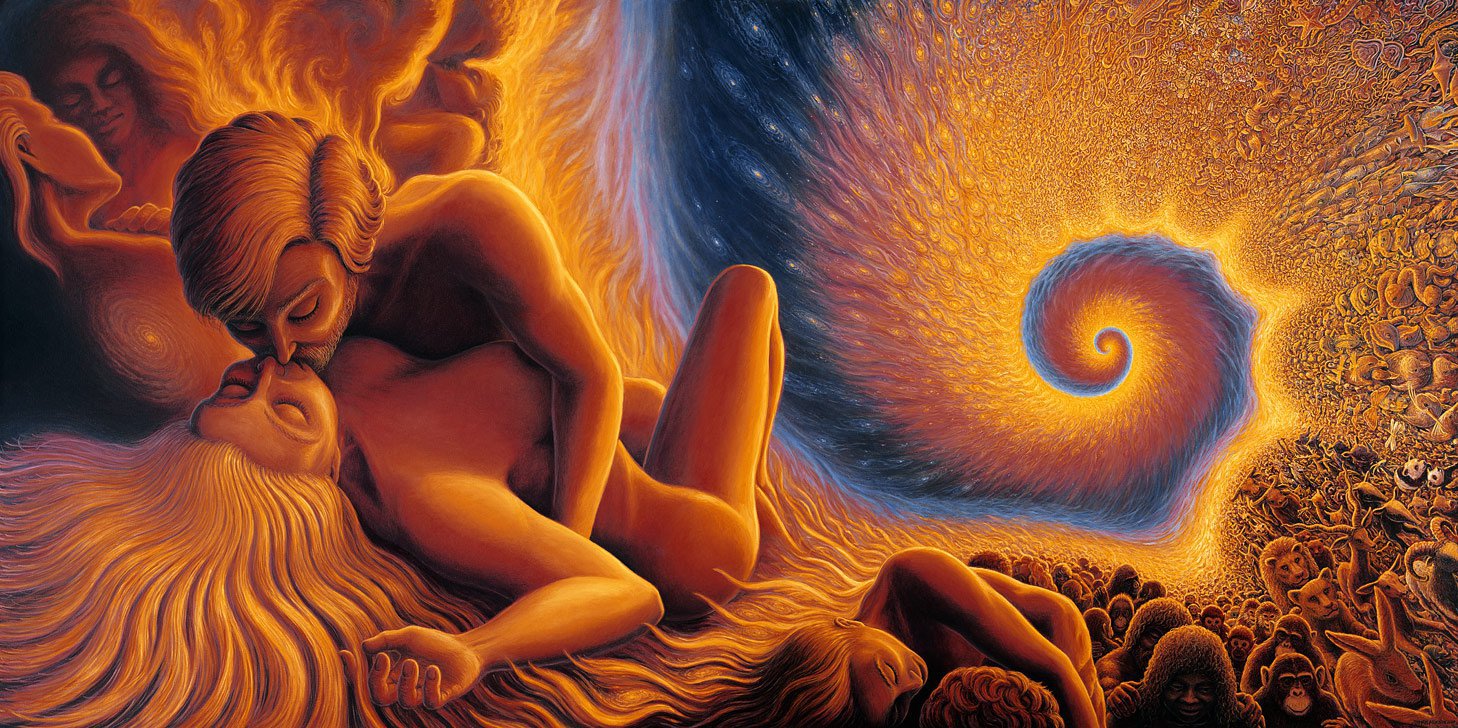
S*X, DRUGS AND ROCK AND ROLL ARE THE TECHNIQUES OF THE DARK SIDE TO STEAL YOUR ENERGY, TO CONTROL YOU BY DEGENERATING YOU. TO TURN YOU INTO AN ORC!
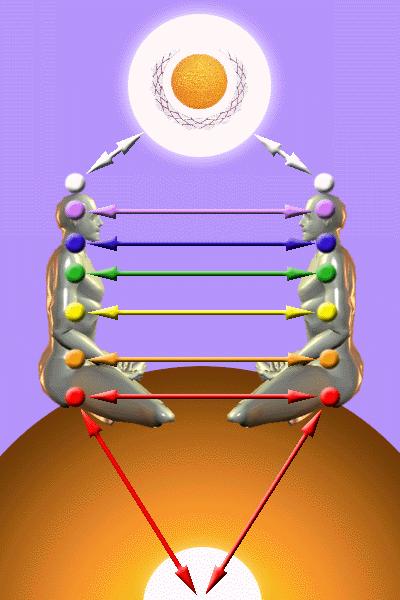 Cord
Control - Control of Energy Cords - The Ties That Bind -
A person who has no control over their cords is like a child playing with fire.
Bad relationships, Divorce, Serial monogamy, Polyamory, s*xual addiction,
Vampirism - are all symptoms of a person with no cord control.
Cord
Control - Control of Energy Cords - The Ties That Bind -
A person who has no control over their cords is like a child playing with fire.
Bad relationships, Divorce, Serial monogamy, Polyamory, s*xual addiction,
Vampirism - are all symptoms of a person with no cord control.
https://www.energyenhancement.org/Control-of-Energy-Cords-The-Ties-That-Bind-A-person-who-has-no-control-over-cords-Bad-relationships-Divorce-Serial-monogamy-polyamory-sexual-addiction-Vampirism-HOLY-GRAIL-King-Arthur-Chivalry.htm
THE STEALER ON THE DOORSTEP S*XUAL IMPLANT BLOCKAGE IS HOW THEY STEAL THE ENERGY OF THE
ORGASM, HOW THEY STEAL ALL YOUR SPIRITUAL ENERGY!
THE STEALER
ON THE DOORSTEP s*xual IMPLANT BLOCKAGE IS HOW THEY STEAL THE ENERGY OF THE
ORGASM, HOW THEY
STEAL ALL YOUR SPIRITUAL ENERGY! When they implant you with a s*xual implant blockage, they have
you by the balls!! All they have to do after that is connect to you. Connect with energetic cords to that s*xual implant blockage
No matter what your IQ.
No matter what high morals you believe.
When you are implanted with a s*xual implant blockage and connected to by energetic cords,
all that will be overcome and you will be filled with lust and the energy of the orgasm will be sent back the the guy who created the s*xual implant - How they are Stealing your Spiritual Energy!Because s*x is another IQ!!
Because Implant Energy Blockages are another IQ, only mastered with Energy Enhancement!
Because Implant Energy Blockages are the Downward Spiral.
There is no bottom to Down!
There is no Bottom to degeneration.
To turn you into an Orc!
The "Stealer on the Doorstep" is a s*xual Implant Blockage
implanted into the Anus and the Coccyx with branches going to the tip of the Penis, the abdomen to create the food implant, the spleen and then into the head to create the blockage which dreams and which dreams with drugs.Yes, when you dream, unless its a purely spiritual dream, you are sending all that dream energy back to the implanter - the guy who has the spiritual meditative technology, thousands of years old, to make these s*xual Implant Energy Blockages programmed to fill you with lust, programmed to syphon off your Spiritual energy, the energy of the orgasm, back to the guy who made the s*xual Implant Energy Blockages.
And its the same with s*x.
Energy Connections between similarly implanted partners are very strong.
Unless you can remove the, "Stealer on the Doorstep" s*xual implant blockage, the energies of s*x, of s*xual stimulation, of the orgasm itself, will be sent back to the person who implanted you.
And the "Stealer on the Doorstep" s*xual implant blockage, will addict you to s*x; depending on your evolution you will..
1. Be a Gourmand who eats himself to death
by digging his grave with his teeth.2. Or you will be a Gourmet
who will learn everything about s*xual Tantra.3. You will be perverted by stimulation as a child.
Pederasty is passed on from generation to generation.4. You will be perverted by s*xual Ritual
where everything goes in order to pervert and debase the original soul and you will still send all your energy back to your implanter. Aleister Crowley - The Great Beast - had ritual s*x with his, "Whore of Babylon" every day. Aleister Crowley had ritual s*x with his Dog Priest Male partner where he took the submissive role. Aleister Crowley was Addickted to s*x as well as Addicted to drugs through being implanted by Addiction Energy Blockages! A High Initiate! A Magus! An Ippsissimus!! Addicted through being Implanted with s*xual and drug Implant Blockages by another much higher Black Magician who only wanted to steal his energy.And the amount of s*x will depend also upon your evolution.
A sensible person will restrain himself. A sensible person learning about Energy Cords, s*xual Implant Blockages and Cord Control will want to increase their s*xual IQ with the Energy Enhancement Meditation Course, will want to learn how to remove Energy Blockages with the Energy Enhancement Meditation Course, will want to learn Cord Control with the Energy Enhancement Meditation Course Seven Step Process to remove All Energy Blockages.
A person who has much to learn will burn the candle at both ends
using drugs to stimulate response. Aleister Crowley remained addicted to Heroin and Cocaine until the end of his days. Here addiction to s*x is combined with addiction to drugs because the field of the dark side is s*x, Drugs and Rock and Roll!!A person who has much to learn - Politicians, Scientists, University Professors, - will be Blackmailed by people like Trillionaire CIA and Mossad controlled Epstein or Jimmy Saville, or Ghislaine Maxwell, with their Pedophile Islands and Lolita Express and their Satanic Rituals in dark underground caverns and become an unwilling tool of the Trillionaire Elite who run the World.
Sabbatean s*xual Excess as a ReligionThey are trying to induct us into their cult.
BLACK MAGIC RITUALS, CEREMONIES AND SPELLS ARE TOTALLY DEFEATED BY ENERGY ENHANCEMENT MEDITATION

Alchemical VITRIOL, the Kundalini Key,
the Antahkarana, the Karma Cleaning Process, the Energy Enhancement Seven Step
Process have been removed from all Traditional Meditations - Thus "Traditional
forms of meditation are designed to fail!!"
READ ALL THE TECHNIQUES TAKEN OUT OF TRADITIONAL MEDITATIONS AND PUT BACK BY
ENERGY ENHANCEMENT!!
POWER UP!!
WITH ENERGY ENHANCEMENT!!

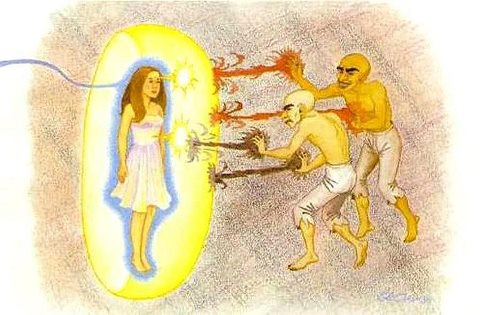
Energy Enhancement will Defeat being Psychically Attacked by BLACK MAGICIANS
Alchemy in Energy Enhancement Meditation
Robert of Chester, an Englishman who studied in Saracen Spain, introduced
alchemy to Christendom of the middle ages in a book which he finished in 1144.
This was a translation of an Arabic book, and in it, as Professor Holmyard notes
(Alchemy, London, 1957, p. 103), he states categorically that this science was
not at that time known in the ‘Latin world’.
Of course the Silk road from India and
China to Europe passed through the Eastern Roman Empire of Constantinople as well as the
prior works of..
1. The Indian Alchemical Tamil Siddars starting with 15,000 years ago Alchemist and Immortal Tamil Siddar Bhogar and his students, Babaji of the Himalayas who taught Kundalini Kriyas to Paramahamsa Yogananda who wrote "Autobiography of a Yogi" and Patanjali who wrote the seminal book on enlightenment through Raja Yoga in "The Yoga Sutras of Patanjali".
2. The Chinese Immortal Alchemical Taoism of 6th century BC Immortal Lao Tsu which also predate the works of the Arabs.
3.
The Roman Latin
acronym - the first Formula of Alchemy is a guided meditation - of VITRIOL -
Visita
Interiora
Terrae,
Rectificando
Invenies
Occultem
Lapidem
- which gives
the secret of the Alchemical Philosophers Stone transmuting negative energy into
infinite positive immortal energy, Demons into Angels, Energy Blockages into
positive thoughtforms, Base metal - Lead - into Gold.
Not fools Gold, the metal Gold, but infinite pure positive Spiritual Energy
which can give immortality.
The Arabic father of alchemy as we know it, Jabir Ibn el-Hayyan. Jabir has been acknowledged by both the Arab and the European alchemists as the patron of the art since the eighth century -
https://www.energyenhancement.org/Alchemy-in-Energy-Enhancement-Meditation.htm
ONLY ENERGY ENHANCEMENT HAS THE MEDITATIONAL TECHNOLOGY TO FREE HUMANITY!!
S*X, DRUGS AND ROCK AND ROLL ARE THE TECHNIQUES OF THE DARK SIDE TO STEAL YOUR ENERGY, TO CONTROL YOU BY DEGENERATING YOU. TO TURN YOU INTO AN ORC!
Cord
Control - Control of Energy Cords - The Ties That Bind -
A person who has no control over their cords is like a child playing with fire.
Bad relationships, Divorce, Serial monogamy, Polyamory, s*xual addiction,
Vampirism - are all symptoms of a person with no cord control.
https://www.energyenhancement.org/Control-of-Energy-Cords-The-Ties-That-Bind-A-person-who-has-no-control-over-cords-Bad-relationships-Divorce-Serial-monogamy-polyamory-sexual-addiction-Vampirism-HOLY-GRAIL-King-Arthur-Chivalry.htm
THE STEALER ON THE DOORSTEP S*XUAL IMPLANT BLOCKAGE IS HOW THEY STEAL THE ENERGY OF THE
ORGASM, HOW THEY STEAL ALL YOUR SPIRITUAL ENERGY!
TRUTH - THE PSYCHIC INFORMATION WHICH RULES THE WORLD - THE INFINITE CHAKRAS ABOVE THE HEAD
ENERGY ENHANCEMENT EXOTIC MEDITATION COURSE AND RETREATS IN THE ENERGY ENHANCEMENT ASHRAM, IGUAZU FALLS.. OR STAY AT THIS HOTEL..

IGUAZU
FALLS - THE SEVENTH NATURAL WONDER OF THE WORLD

ENERGY ENHANCEMENT INDIA!!
LATER THIS YEAR!



AYURVEDIC THERAPY IN KERALA - MASSAGE AND MEDITATION, EVERY DAY!
TAJ MAHAL
ENERGY ENHANCEMENT MEDITATION!
JANUARY TO MAY - THIS YEAR!!
EMAIL US!
THE ENERGY ENHANCEMENT EXOTIC MEDITATION COURSE LIVE AT IGUAZU FALLS
The Energy Enhancement Quantum Immortality Streaming Video Course and Live at Iguazu Falls..
THE MOST ADVANCED COURSE OF MEDITATION IN THE WORLD!
GET THE ENERGY ENHANCEMENT VIDEO COURSE IN THE COMFORT OF YOUR OWN HOME.
[[firstname]], Energy Enhancement LEVEL 2 - The Energy Enhancement Seven Step
Process to Totally Remove Energy Blockages, Totally Remove Negative Emotions,
Heal Your DNA, Remove your Karma
https://www.energyenhancement.org/Level2.htm
[[firstname]], Energy Enhancement LEVEL 3 - Eliminate Energy Blockages - The
Removal of Strategies. The Removal of the Energy Vampire. Quantum Integration.
The Karma Cleaning Process to Totally Eliminate All Your Karma!!
https://www.energyenhancement.org/Level3.htm
[[firstname]], Energy Enhancement LEVEL 4 - Stop the Suck!! Heal the Family!!
MASTER ENERGY CONNECTIONS AND RELATIONSHIPS
https://www.energyenhancement.org/Level4.htm
Level One - Access Infinite Spiritual Energy!! Click Below..
https://www.energyenhancement.org/Free-Book-Level-One-Meditation-Access-Infinite-Spiritual-Energy-Kundalini-Key-Antahkarana-Alchemical-VITRIOL-Chakras-Above-Head-Kundalini-Chakra.htm
Level 2 - Remove Energy Blockages Click
Below..
https://www.energyenhancement.org/Free-Book-Level-2-Remove-Energy-Blockages-Antahkarana-Karma-Soul-Monad-Logos-Sirius-Avatar.htm
Level 3 - The Karma Cleaning Process - Remove Even Deeper Energy Blockages Click
Below..
https://www.energyenhancement.org/Free-Book-Level-3-The-Karma-Cleaning-Process-Remove-Even-Deeper-Energy-Blockages.htm
Level 4 - Master Energy Cords - Gain Fantastic Relationships
https://www.energyenhancement.org/Free-Book-Level-4-Master-Energy-Cords-and-Energy-Vampires-Gain-Fantastic-Relationships.htm
Download Super Energy And Sacred Symbols
for Perfect Wisdom Enlightenment - This book is for anyone that is interested in
meditation and the connection it has to ancient Symbols. The wisdom within this
book reveals the
esoteric meaning behind symbols as well as their accessible power and
application. I love how it draws near to the individual a truth which is so
simple yet so powerful. If knowledge is power then is book certainly has the
energy to empower the reader.
Download Super Energy And Sacred Symbols
for Perfect Wisdom Enlightenment
Click Below..
https://www.energyenhancement.org/Free-Book-Super-Energy-And-Sacred-Symbols-for-Perfect-Wisdom-Enlightenment.htm
The Energy Enhancement Quantum
Immortality Streaming Video Course and Live at Iguazu Falls.. Get All Five
Levels when you Buy the Energy Enhancement Streaming Video Course..
[[firstname]], Email us Now
Email meditation1000@gmail.com
[[firstname]], Live Energy Enhancement Meditation Courses in Brazil - Iguazu
Falls is the Seventh Wonder of the Natural World - it's an incredible Power
Center to learn Energy Enhancement - and India where its Summer in your Winter!
Email for details!!
https://www.energyenhancement.org/MEDITATION-IGUASSU-FALLS-BRAZIL-ENERGY-ENHANCEMENT-MEDITATION-COURSE-AND-RETREAT-28-DAYS-AT-THE-ENERGY-ENHANCEMENT-CENTER-IGUAZU.htm
[[firstname]], Energy Enhancement Level 0 Super Chi Prana, Power, Strength,
Immortality
https://www.energyenhancement.org/LEVEL-Energy-Enhancement-Super-Chi-Immortality-Prana-Meditation-Course.htm
Buy the Five Levels of the Energy Enhancement Video Course
or Live in Iguazu NOW!!
EMAIL meditation1000@gmail.com
NOW!!
Get THE ENERGY ENHANCEMENT STREAMING VIDEO COURSE.
GET Brazil Winter Sun at Iguazu Falls the seventh Natural Wonder of the world
- choose an Elegant Hotel or Get Your EE Course at the Energy Enhancement
Ashram Buddhafield- 5 Day Mini Courses, 28 Days - Two Levels, 56 Days, 84 Days..
Three Levels, Four Levels of Energy Enhancement
Download All the
50 Free Energy Enhancement Books -
Sign Up!

IGUAZU FALLS, BRAZIL!
ENERGY ENHANCEMENT MEDITATION ENLIGHTENMENT AND ILLUMINATION
Energy Enhancement Meditation can remove the Energy Blockages which cause personality disorder, depression, dementia or bipolar disorder like Amber Heard

HOPIUM: BREAKING THE SPELL OF THE NEW AGE “LIGHTWORKERS”
I would like to invite you join my Quora Page, just click on the link below to join..
https://theenergyenhancementvideomeditationcourse.quora.com/?invite_code=9N2fqfTHLeeXGnQ6icRa
And read any of the Posts..
Already it has Nineteen posts!
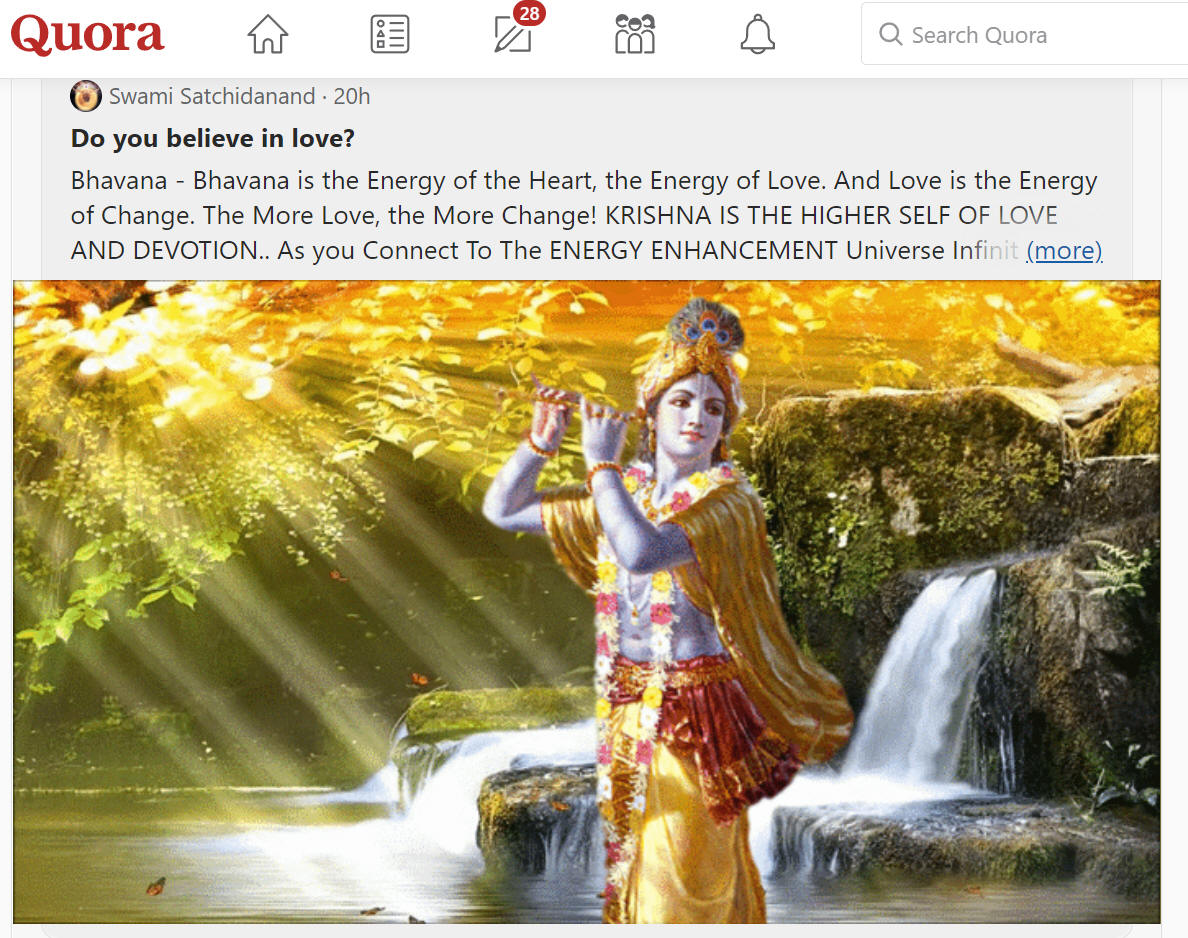
click on the link below to join..
https://theenergyenhancementvideomeditationcourse.quora.com/?invite_code=9N2fqfTHLeeXGnQ6icRa
And read any of the Posts..
Already it has Nineteen posts!
Immortality! Enlightenment!
The Katha Upanishad and Energy Enhancement
For 5000 years the Katha Upanishad has Enlightened India - Yama, The Lord of Death Upanishad gave instructions on Immortality, Fusion with the Soul - Soul Infused - Fusion with the Divine, Enlightened, to the the boy, Nachiketa - and to you!
More, From 5000 Years Yama, the Lord of Death speaks in the language of Energy Enhancement.. the Antahkarana with it's infinity of chakras connecting us with the Immortality of God. Energy Blockages polluting our bodies and even the Antahkarana itself. The necessity of removing the Energy Blockage dust from the mirror to See Immortal God, Brahman in Enlightenment, simply by removing the Energy Blockages using the Energy Enhancement Seven Step Process..
From 5ive Thousand Years Yama, the Lord of Death speaks in the language of Energy Enhancement.. The necessity of getting out of the body before we die, out from the sahasrara chakra, the Crown Chakra, the ability when it is the time of dropping the body like a suit of old clothes and moving into the deathless, the Antahkarana, the Immortal Chakras above the head as we teach and practise in the Energy Enhancement Meditation Course.
.jpg)
The Katha Upanishad..
"Immortal God, The Brahman is seen in the pure Antahkarana just as an object is seen in a mirror. Energy Blockages like dust pollute the Antahkarana - the line of energy connecting Heaven and Earth. Remove the dust to see the Mirror clearly, to see clearly Immortal God, The Brahman."
"Immortal God, The Brahman is seen in Pitriloka, - one of the chakras in the Antahkarana above the head, the realm of the Spirits of man's dead ancestors, just like objects seen in a dream. Remove the energy blockages to see the dream clearly, to see Immortal God, The Brahman."
"Reflections of Immortal God, the Brahman are seen in Gandharvaloka - one of the chakras in the Antahkarana above the head, the realm of celestial musicians, like forms reflected in water. Remove the energy blockages to see the reflections clearly, to see Immortal God, The Brahman."
"The true nature of the Brahman and of the Soul are seen clearly in Brahmaloka, - one of the highest chakras in the Antahkarana above the head, the ultimate reality, just as one can clearly see light and shadow. Remove the energy blockages to see the light clearly, to see Immortal God, The Brahman."
"The body and the sense organs exist separately because of their temporary functions from the Immortal Chakras above the Head. To be born and to die is their intrinsic nature. By knowing the Immortal nature of the Soul to be different from the body, the intelligent ones will go beyond grief."
"Mind is higher than the sense organs, intelligence is higher than the mind, the Soul is higher than intelligence - the first chakra above the head - the unmanifest energy is higher than the Soul."
"But the Divine, - nirvana, Brahman, Atman, God - which is the all pervading, the formless, is higher even than the unmanifest energy. The one who sees clearly this truth whilst living in the body - by awakening the Third Eye through Alchemical VITRIOL, by removing all the energy blockages simply by removing the Energy Blockages using the Energy Enhancement Seven Step Process.. - is Liberated; he becomes Enlightened, the Brahman, the Divine."
"The Divine is Deathless.
It is the very seat of Bliss."
"There are one
hundred and one nadis, energy channels, from the Heart. Only one
nadi goes towards Sahasrara, the crown of the head, and it is called Sushumna. By moving into the
higher realms of the Antahkarana, the Chakras above the Head through this nadi,
this Sushumna, this energy channel, man becomes immortal. If this does not
occur, at the moment of death, moving into the other one hundred energy channels
will be the cause of endless births and rebirths."
"Divine Being, knower of all inner thoughts and feelings, like a flame only the
size of the tip of a thumb, is eternally seated in the highest heart of man in
the chakras above the Head. The seeker
must eternally know it to be separate from the body, like the kernel of a
coconut shell. He must know it to be the Elixir of Deathlessness and Immortality
of the Immortal essence."
"Imbibing this Wisdom and thus receiving the Science of the Soul - the first
chakra above the head - and the methods of Yoga - Union with the Divine, the
Immortal God, The Brahman - from Yama, the Lord of Death, Nachiketa became the Immortal Deathless One. Unfettered
by removing energy blockage desire, he became One, Fused with the Divine, the Ultimate Reality..
Enlightened"
Katha Upanishad - Yama, The Lord of
Death Upanishad instructions on Immortality,
Fusion with the Soul - Soul Infused - Enlightened, to the the boy, Nachiketa -
and to you!
Click here for a talk on Energy Enhancement Immortality by Satchidanand
http://eemeditationvideo.org/watch/lzNgqpMtwMfUs6D
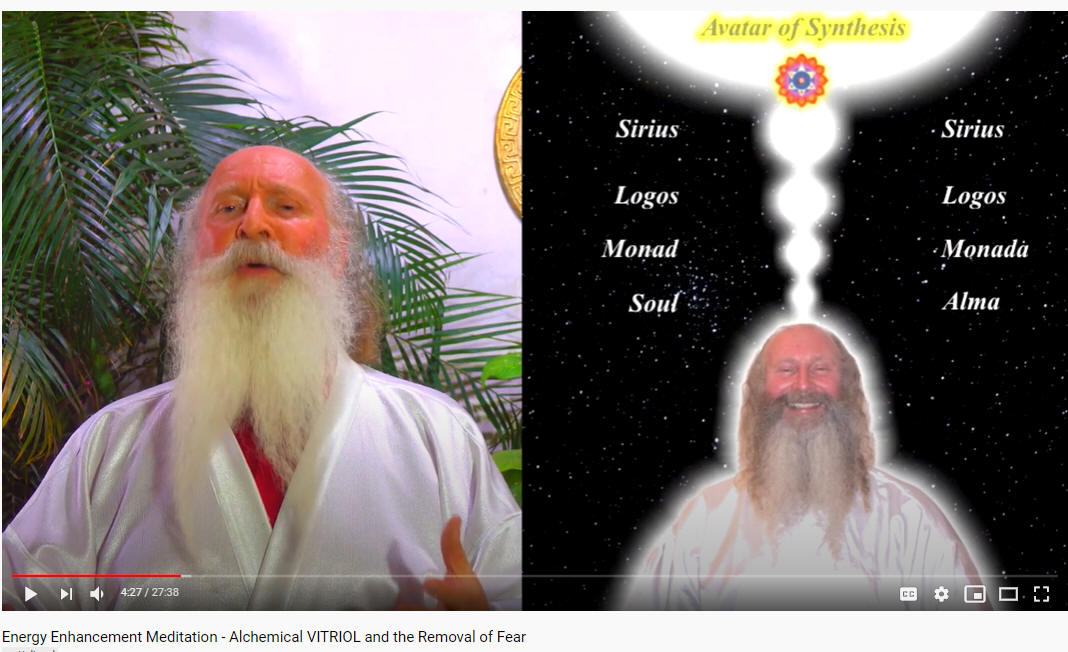
Energy Enhancement and VITRIOL -
The First Formula of Alchemy and the Removal of Fear
http://eemeditationvideo.org/watch/lzNgqpMtwMfUs6D
VITRIOL is the
First Formula of Alchemy - the hidden meaning of VITRIOL is a guided meditation
which gives the hidden Meditational meaning of the Philosophers Stone.
VITRIOL is a Latin word which means Acid. The acid which can dissolve all
negativity. It also means anger and thus symbolises a method to reduce and
remove all negative emotions like anger, fear and depression or sadness or
bereavement or trauma.
"Drain the last dregs of your
VITRIOL"
The Integration of all the Chakras ends in complete freedom, Kaivalya or
Enlightenment. We can use this meditational formula to Ground all Negativity.
The Painless Grounding Of Negative Energies and Emotions Is The Secret Of The
Philosophers Stone described By The Ancient Alchemical Phrase, Drain the last
Dregs of your Vitriol!! where Vitriol is used in the sense of, Anger which is
representative of all negative emotions to remove totally all Anger, Fear and
Depression.
Each letter in the word VITRIOL stands for another Latin word which together
form the First Formula, or guided meditation, of Alchemy.
A Guided meditation encoded for centuries in the word VITRIOL - a guided
meditation given in the Art Card of the Tarot, THOTH Pack, you can see the Latin
words, an explanation of VITRIOL in a circle behind the figure on the card as a
prelude to learning and practising these Practical, Ancient and Successful
Meditations for the removal of all negative emotions like Anger, Fear, and
Depression.
The Guided Meditation encoded in the Latin words of VITRIOL shows what is and
also how to activate "The Philosophers Stone" The "Occultem Lapidem" or "OL" OF
VITRIOL! which is the catalyst which changes Base metal into Gold.
Not the metal Gold, the Element Gold or "Fools Gold" as the Alchemists used to
call it. The Enhancement of the pure Golden Spiritual Energy of the Crown Chakra
and the transmutation of the Negative Energy slowing down the Base Chakra, or
how to change or transmute the Base metal (lead) The Energy Blockages of the
Base Chakra, into pure Spiritual Golden Energy.
VITRIOL is a guided Meditation for the removal of all negative emotions like
Anger, Fear, and Depression.
Energy Enhancement Meditation Level
1!
teaches how to Ground Negative Energies, how to
transform the stress, the Negative Energy of daily life, which arises in you or
that which you pick up from other people. The stress which arises from the
painful memories of the past.
The Secrets of the Guided Meditation of Alchemical VITRIOL have been taught for
thousands of years for the removal of all negative emotions like Anger, Fear,
and Depression
Energy Enhancement Meditation Level
1!
teaches you how to use meditation to get rid of all Painful Traumatic
Memories and the Energy Blockages which hold them in the Body, the Emotional Armour of Reich, which causes toxins to be deposited in the area of the
Stiffness, eventually failing in the body and making operations necessary.
Each letter in the word VITRIOL stands for another Latin word which together
form the First Formula, or guided meditation, of Alchemy. VITRIOL is a Latin
Acronym for the Ancient
and Successful Meditation
Energy Enhancement Meditation Level
1!
for the removal of all negative emotions like Anger,
Fear, and Depression teach how to use meditation to ground the pain of broken
relationships.
VITRIOL is the Secret of Immortality!
Which Energy Enhancement teaches in
Energy Enhancement Meditation Level 1!
VITRIOL is the guided Meditation from the Emerald tablet of Hermes Trismegistus
for the removal of all negative emotions like Anger, Fear, and Depression teach
how to use meditation to ground the pain of bereavement, the pain of divorce,
the pain of abuse. The pain which causes fear, sadness, anger and grief.
Which Energy Enhancement teaches in
Energy Enhancement Meditation Level 1!
The Grounding Of Negative Energies Is The Second Formula Of Alchemy - "Solve Et
Coagule" said the Alchemists, or "Dissolve to Integrate". The secret of Alchemy
is that all metals dissolve in Acid, all metals except gold dissolve in acid or
VITRIOL.
The Second Formula Of Alchemy Is Sec - "Solve Et Coagule", A Latin Word Meaning
"To Dry" - Dry out the Water Of The Emotions - get rid of your fear, pain,
anger, jealousy and negativity etc. Through the guided meditation of
V.I.T.R.I.O.L.
Which Energy Enhancement teaches in
Energy Enhancement Meditation Level 2!
The ancient and meaningful phrase, "Drain The Last Dregs Of Your Vitriol" Where
vitriol in this phrase means anger, yet also it symbolises how to Get Rid Of All
Your Anger And Pain With this guided meditation which is thousands of years old
and exists in many different cultures..
Which Energy Enhancement teaches in
Energy Enhancement Meditation Level 1!
The same VITRIOL meditation exist in India as part of the Kundalini Kriyas.
It
exists in China as the Five Elemental Pathways of the Qi of Chinese Alchemical
Taoism. It exists in Europe and Arabia as the Alchemical Meditations of Hermes
Trismegistus and his Emerald Tablet.
Which Energy Enhancement teaches in
Energy Enhancement Meditation Level 1!
This is part of "The Secret of the Golden Flower" a book translated from Ancient
Chinese Taoist sources by Jung.
Which Energy Enhancement teaches in
Energy Enhancement Meditation Level 1!
HALF PRICE!! Energy Enhancement
LEVEL 1 Immortality - Gain Infinite Energy from the Chakras above the Head -
Power UP!! Gain Super Samadhi Kundalini Alchemical
VITRIOL Energy. Ground All Negative Energies. Access Quantum Immortalityhttps://www.energyenhancement.org/Level1.htm
HALF PRICE!! Energy Enhancement LEVEL 2 - The Energy Enhancement Seven Step
Process to Totally Remove Energy Blockages, Totally Remove Negative Emotions,
Heal Your DNA, Remove your Karma https://www.energyenhancement.org/Level2.htm
VITRIOL exists as a major part in some of these useful Ancient and successful
Meditation Techniques below which put you in contact with, so that you can use
the high and plentiful energies of the earth and of the universe, from many
cultures to create the Launch pad of Enlightenment and the Creation of Genius...

Director Satchidanand, is one of the
leading teachers of Meditation.
He helps people worldwide reach further than they EVER thought possible,
FASTER!!!
https://www.energyenhancement.org
It’s High–Time the Earth had a powerful Meditation course that knows EXACTLY how handle the Energy Blockages hidden within us.
A Soul Connection Inspires Purpose and Meaning
Level 1 Energy Enhancement Meditation Course
In Energy Enhancement Meditation Level 1, real meditation is taught. The student is shown has to use elements like air and water to infinitely increase energy and remove energy blockages. The original concept of Alchemy, VITRIOL, is taught where one transmutes Base Metal - negative energy blockages, into Alchemical Gold - pure positive energy. The secrets of the Tamil Siddars - Alchemical GOLD - The more you heat it, the more it shines! Tamil Siddar Thiruvalluvar. For Dharma Mega Samadhi, the initiate is taken beyond the stars, beyond the central spiritual sun, to a source of infinite energy. The Kundalini Kriyas. The Taoist Five Elemental Circulations of the Qi. Using Alchemy you’re shown how to ground negative energies into kundalini chakra in the earths center - to ground toxins in food and test good from bad. To finish you are taught the best of the best energy protection techniques. In Level 2 the Seven Step Process to remove Energy Blockages.
Stopping the mind and squaring the circle. Alignment with the energies from the Center of the Earth into the Center of the Universe. Shaktipat, Energy Alignment, Kundalini, Stopping the Mind and Squaring the Circle.

Microcosmic orbit and Kundalini Kriyas. Energy Circulation: Microcosmic Orbit. This gives the Hidden Taoist Secrets of the Microcosmic AND the Macrocosmic Orbit, the 5 Elemental pathways of the Chi or Ki and the Kundalini Kriyas of Paramahamsa Yogananda.

Alchemy, Vitriol and Earth Connection. Vitriol (Visita Interiore Terrae Rectificando Invenies Occultem Lapidem). The Grounding of Negatives Energies: Alchemy, Hermes Trismegistus, Guided meditation of Grounding, transmuting all trauma caused negative energy.

Macrocosmic Orbit, The Energy Enhancement Supra Galactic Orbit, Advanced Kundalini Kriyas. Accessing the Universal Energy Source: Macrocosmic Orbit, The Energy Enhancement Supra Galactic Orbit, Chakras above the Head, Soul Fusion via the Antahkarana, Advanced Kundalini Kriyas, Siddis, The Creation of Psychic Vision.

Re-awakening our psychic ability to Open the Third Eye, Psychic Powers to detect poisons. Removing Blockages. How to Project Energy to heal anything!

Psychic Protection: The Power Towers, Creating and Using External Antahkaranas to psychically protect you, your house, your car, Exponentially Increasing your Spiritual Energy, Creating the Flow from Heaven to Earth.

Psychic Protection. The start of Infinite Psychic Protection.. The Construct!

Psychic Protection: The Merkaba, Astral Travel and Projection, Advantages of the Siddhis of Becoming Bigger and Smaller. Disappearance from the Universe, the Ultimate Psychic Protection!


In Energy Enhancement Meditation Level 2, using the higher energy supply, the student is shown how to completely remove energy blockages that prevent the flow of energy to your entire being and life. All obstacles to the natural flow of energy through us are referred to as blockages. These include Karma, negative emotions, karmic connections between other people, addiction etc. You will pick up your sword in the Seven Step process – where there will be the removal of energy blockages and implants by these Energy Enhancement Busting Techniques – The Removal of Old Karma from the time in the womb of your mother and from this time and much more!
The Removal of Energy Blockages, Thought forms and implants using the Seven Step Process once you are given a psychic sword, so you can slay and heal the demons that have held you back for your whole soul’s existence.

ENERGY ENHANCEMENT SPEEEDS UP!! YOUR PROCESS
WANT TO LEARN WHY "TRADITIONAL MEDITATION TECHNIQUES ARE DESIGNED TO FAIL"?
THE FIVE LEVEL ENERGY ENHANCEMENT VIDEO COURSE
DOWNLOAD NOW!!
DOWNLOAD 50 FREE MEDITATION BOOKS NOW!! AND MORE!!
OR JUST EMAIL
sol@energyenhancement.org
DOWNLOAD NOW!!
SIGN IN BELOW TO DOWNLOAD 50!! FREE!! MEDITATION ENERGY ENHANCEMENT E-BOOKS!!

DOWNLOAD NOW!!
DOWNLOAD 43 FREE MEDITATION BOOKS NOW!! AND MORE!!
OR
JUST EMAILsol@energyenhancement.org
DOWNLOAD 43 FREE MEDITATION BOOKS NOW!! AND MORE!!
Energy Enhancement LEVEL 1 Immortality

Open Your Third Eye!! Energy Enhancement LEVEL 1 Immortality - Gain Infinite Energy from the Chakras above the Head - the Logos and higher! Power UP!! Gain Super Samadhi Kundalini Alchemical VITRIOL Energy. Open Your Third Eye, Gain Luminosity - Your Brain, Just Brighter. Gain Psychic Powers, Ground All Negative Energies. Access Quantum Immortality - The Kundalini Kriyas, Meditation, Samadhi, Samyama
https://www.energyenhancement.org/Level1.htmEnergy Enhancement LEVEL 2 - Remove Energy Blockages

Remove Energy Blockages!! Energy Enhancement LEVEL 2 -
Remove Energy Blockages, Eliminate the Shadow - The Energy Enhancement Seven
Step Process to Totally Remove Energy Blockages, Totally Remove Negative
Emotions, Heal Your DNA, Remove your Karma from this lifetime - Advanced Samyama
https://www.energyenhancement.org/Level2.htm
Energy Enhancement LEVEL 3 - Eliminate Energy Blockages

The Karma Cleaning Process!! Energy Enhancement LEVEL 3 - Eliminate Energy
Blockages - The Removal of Strategies. Quantum Integration. The Karma Cleaning
Process to Totally Eliminate All Your Karma All your Past Life Vows from all
your thousands of Previous lifetimes!!
https://www.energyenhancement.org/Level3.htm
Energy Enhancement LEVEL 4 Cord Control!!

Cord Control!! Energy Enhancement LEVEL 4 - Stop the Suck!! Stop Energy
Vampirisation, Stop Psychic Attacks, Heal the Family!! MASTER ENERGY CONNECTIONS
AND RELATIONSHIPS
https://www.energyenhancement.org/Level4.htm
SHINING WITH THE LIGHT

"Creating the Golden Head" is a Sufi phrase which comes before Illumination. It refers to the practise of Samadhi (Sam - with, Adhi - the Light) burning out all the Impurities.
SPIRITUAL GOLD, "The More You Heat It - The More it Shines" Thiruvalluvar, Tamil Siddha3908"> IF WE CAN GET OUR BODIES SQUARE TO THE EARTH, BASE CHAKRA ROOTED IN THE EARTHS CENTER, HEAD IN THE CENTRAL SPIRITUAL SUN.. SPEED UP! POWER UP!
WHY DO NO OTHER MEDITATION COURSES HAVE THESE POLARITIES INBUILT ??
WHY DO THEY MAKE YOU SEARCH FOR 20 YEARS IN ORDER TO FIND THEM ?
GOLDEN LIGHT SURGES INTO MY BRAIN...
My center is the center of the universe, the circle is complete! I am absolutely
everything. All time is curved around me, all galactic systems are me, all life
is me and I am through this small body I am complete. My personal mind goes in
to absolute shock, into hysterical laughter that I cannot stop. I am overflowing
billion times billion. Infinite amount of information fills me in a timeless
time, my consciousness is flowing from the beginningless beginning of all
reaching the final destination of all.
The grand cycle is complete and I encounter all the infinite forms of existence
as well as the formless forms of enlightenment beings, the future. I am, one
with my self from the future! From the times of conscious creation. There is
only space, all of my meridians are ONE! Stretching through all the creation.
Then I leave my body and I am guided through many things that I cannot explain
or remember in my current state."
As we were talking well into the night at the end of our Energy Enhancement
Course at Iguassu together.
After he has removed many energy blockages over the last four weeks. Blockages above the crown chakra in the Antahkarana which were preventing him from re-connecting with the Source of all Life. He described one of the blockages between one million and Infinity of chakras above the head as a dense translucent crystal which was incredibly difficult to remove, different from the other blockages which he had found below it which were dense and covered with a black tarry substance or blood and which were more easy to transmute and dissolve.
We eventually get into a state of energy transfer. We both feel it as white light flowing from one to the other in an incredibly intense way which lasts for two hours. At the end of that time I perceive an initiation which is taking place on the astral plane. Surrounded by a group of ascended masters I introduce him to the chief initiator who uses the rod of initiation to touch his third eye with the intense energies of initiation so that his energies can never again drop into that state we call normal waking consciousness.

ENERGY ENHANCEMENT STUDENT IN IGUASSU - the Tao with two Poles
THE GOLDEN HEAD - BASE CHAKRA ROOTED IN THE EARTHS CENTER, HEAD IN THE CENTRAL SPIRITUAL SUN
Has been removed from all Traditional Meditations - Thus "Traditional forms of meditation are designed to fail!!"
READ ALL THE TECHNIQUES TAKEN OUT OF TRADITIONAL MEDITATIONS AND PUT BACK BY ENERGY ENHANCEMENT!!
POWER UP!!
WITH ENERGY ENHANCEMENT!!
THE ENERGY ENHANCEMENT CONNECTION
"CONNECT, ONLY CONNECT" - GOETHE
ELECTRICITY NEEDS TWO POLARITIES IN ORDER TO FLOW - ROOTED IN THE EARTH - HEAD IN THE CENTER OF THE UNIVERSE - IF YOU ARE NOT CONNECTED, IF YOU ARE BLOCKED AT EITHER POLE - ELECTRICITY WILL NOT FLOW
POWER UP!!
LIKE ALL ENERGY ENHANCEMENT STUDENTS IN THE BUDDHAFIELD.. ACTIVATE YOUR NATURAL POWER BY ACCESSING THE EXTERNAL ENERGIES OF THE SOUL AND KUNDALINI CHAKRA!!

ACTIVATE YOUR KUNDALINI KEY!!
GROUND NEGATIVITY
ACCESS SOUL ENERGY
REMOVE ENERGY BLOCKAGES
ACHIEVE ILLUMINATION
SEE PAST LIFETIMES
USE PSYCHIC POWERS TO CREATE INNER PEACE - WORLD PEACE
BECOME A SIDDHA
QUICK!!
POWER UP!!
- EMAIL sol@energyenhancement.org
for details of our Streaming Video, DVD and Live courses

"IF THE MAP IS CORRECT - SPIRITUAL EXPERIENCE SURELY FOLLOWS" - SATCHIDANAND
ENERGY ENHANCEMENT MEDITATION COURSE STUDENT REPORTS
Never to lose the Light of Enlightenment, ever again!!THE FOUNDATIONS - THE ANCIENT ROOTS - OF ENERGY ENHANCEMENT - SYNTHESIS OF AND SECRET OF ALL RELIGIONS, ALL SPIRITUAL PATHS, THIS FOUNDATION IS THE ANTAHKARANA
"IF THE MAP IS CORRECT - SPIRITUAL EXPERIENCE SURELY FOLLOWS" - SATCHIDANAND
IF WE CAN GET OUR BODIES SQUARE TO THE EARTH, BASE CHAKRA ROOTED IN THE EARTHS CENTER, HEAD IN THE CENTRAL SPIRITUAL SUN

AXIS MUNDI
BY GERRY BANNAN
THE EGYPTIAN EMERALD TABLET OF HERMES TRISMEGISTUS
THE HINDU ANTAHKARANA
THE TAOIST MEDITATIONAL ORBITS
THE BUDDHIST STUPAS AND STREAM ENTERERS
GURDJIEFF RECIPROCAL MAINTENANCE
THE GURDJIEFF RAY OF CREATION
ANCIENT GREEK AXIS MUNDI
NORSE YGGDRASIL
HERCULES IN THE GARDEN OF THE HESPERIDES
THE CHRISTIAN IONA CROSS
THE SWORD IN THE STONE
"IF THE MAP IS CORRECT - SPIRITUAL EXPERIENCE SURELY FOLLOWS" - SATCHIDANAND
KUNDALINI PURIFICATION..
Further notes:
It's really bringing up little
blockages which are complaining while being pushed down into the earth's core to
get purified. The hot fire energy has gotten much stronger in my body while
doing the practice, mostly the base of the spine heats up, but also the middle
of the spine. There are lots of little blockages being noticed. But I'm pushing
them out.
I think this is my new favorite meditation practice! It's far more powerful than
the normal orbit practice.
Have practiced it some more – my body
gets very hot during the practice – just like the video says.
"JUST LIKE IT SAYS ON THE TIN!!"
"DRAIN THE LAST DREGS OF YOUR,
"VITRIOL""
My mother came into the
room and told me she 'couldn't be near me' because I was giving off too much
heat – like a radiator! After this I noticed that by thinking about certain
areas of my body I could send the intense heat to that area!
So now this meditation is definitely the
most powerful one I have got. Very impressive. I do an in breath/out breath
orbit and then hold for a moment at the earth-core. Then I bring up the energy
again.
I've had another experience today, which
is light surrounding a part of my selfish ego, and my ego submitted. The light
has won for this issue. It is no longer possible to tolerate some of my selfish
behaviours.
Now I feel very peaceful.
ILLUMINATION, ENLIGHTENMENT..
THE TOTAL MASS OF ENERGY BLOCKAGES IS WHAT MAKES UP THE EGO
ENERGY ENHANCEMENT DHARMA MEGA SAMADHI REMOVES THE ENERGY BLOCKAGES OF THE SELFISH COMPETITIVE PSYCHOPATHIC EGO ONE BY ONE, KNOT BY KNOT UNTIL, "THERE CAN ONLY BE ONE" ONLY ONE SOUL INFUSED PERSONALITY REMAINS.

THE LIGHT OF THE SOUL IS THE SILVER LINING
"DO NOT LOOK UPON MY FINGER, INSTEAD LOOK TOWARDS THE SOUL TO WHICH IT POINTS" - BUDDHA
THE DEATH OF SOCRATES BY DAVID
Thanks! I want to update you.
I underwent a profound change in my energy last night after my main ego blockage
submitted.
However today I noticed with more light in my system, that there are more,
smaller ego blockages which are there and which talk to me. I look forward to
resolving them. I'll now paste what I wrote last night.
Now I write here what I experienced between my last comment and reading her
reply, written just below:
I had to lay down to do some meditation just now, and I felt like there were
‘two me’s, the first me was this little black smudge of an ego, the ‘I’, the
selfish ego, or the part which basically functions for it’s own agenda. This guy
basically pleasure-seeks and avoids pain/responsibility and is good at
justifying it’s reasons and making excuses.
The second ‘me’, was this overwhelmingly peaceful, white light. It was so
powerful it was literally drowning my little dark ego. So my ego had this light
just drowning it from all directions. Imagine a war scene where the dark side is
just a little blob of dark and there is hundreds or thousands of times as much
light surrounding it from all angles.
Then also during this process, I had to see through the ‘light’s eyes to take a
look at me…and I saw all these faults. I saw this creeping little dark ego who
was so unaware of everything, it just kept making excuses for it’s actions ‘but’
this, and ‘but’ that. It just kept wanting pleasurable things and to run away
from responsibility. I had to take a long good look at this guy, this type of
me.
So my little dark ego, the ‘I’, just …well, just gave up. He just said ‘Okay!!
Okay…I give up! I give up! Surrender!’ So then I started to feel like I was
going to cry. All this light just smothered me, my ego and gave it a lot of love
and peace. Then I felt this vortex of white light form in my heart – it felt
quite small, maybe an inch or so big.
Then I felt all this peaceful
energy throughout my whole body – it felt like cosmic/space/universe energy.
Something like a peaceful energy from space (as if I had a whole entire universe
inside my chest and body with the heart at the center). After that happened, I
was getting light flood my body and I just felt like crying and surrendering. I
suddenly felt this rush of what felt like crystalline white light flood into my
body and fill my arms and legs and whole body. So I had a new ‘layer’ of energy
body or something like this.
I think it’s a point of no-return now! I can only surrender now. What seems to
be filling my body is this type of energy which is peace and light, it only
seems to want what’s right for everyone. I hope it remains. I don’t know how
much of my ego I let go off…I wish all of it will go now.
I honestly don’t believe I will go back to being how I used to, because too much
of my consciousness or awareness feels grounded into ‘light’, so if I can keep
seeing from the light’s viewpoint, I can quickly pick out faults which I might
otherwise do.
Phew, what an intense evening. But I feel so peaceful! I seem quite satisfied to
just drown myself in this light.
I want to give an update on this today. I’m pleased to say that the energy
of soft love and peace which flooded my body last night, has remained with me
today. I feel like a completely different person. There has been a loss of
desire, an increase in peace.
I threw out some supplements and felt like that type of thing has now become
redundant.
Today I noticed that small ego blockages were in my aura. They are much weaker
than the one which submitted to the light last night, they are more deeply
buried.
I hope to continue to resolve and integrate these fragments of ego energy
blockages in future.
Peace,
Starlight
Why Energy Enhancement Personal Development is the Best Investment You'll Ever Make
I'm a strong believer that personal development is the best investment you could
ever make. The reason is really simple. Improving yourself proactively, working
on your awareness, improving your skills and knowledge about how you can get to
the edge of your potential, all of that is an investment into the greatest asset
you'll always have: Yourself.
I know from my own experience that this is true. And I know it from the fact that almost every Spiritually successful person started out low and became high!!

HOTEI POINTING AT THE MOON

PLATO POINTING TOWARDS THE SOUL
BECOME A SOUL INFUSED BEING!!
RE-INTRODUCING ANCIENT EFFECTIVE TECHNIQUES REMOVED FROM TRADITIONAL MEDITATIONS TO SPEED UP YOUR PROCESS...
FOR THOSE WHO WANT MORE, FASTER!!
AND OPEN YOUR THIRD EYE!!
DOWNLOAD THIS THIRD EYE ENERGY ENHANCEMENT BOOK - ONE OF 53 BOOKS GIVEN FREE ON SIGN UP! - BY SATCHIDANAND
Opening the Third Eye.. CLICK BELOW...
http://www.energyenhancement.org/Sacred-Energy/Opening-the-Third-Eye/Opening-the-Third-Eye.pdf
GET ACCESS TO INFINITE FUSION POWER FROM THE CENTRAL SPIRITUAL SUN WITH ENERGY ENHANCEMENT MEDITATION
TO OPEN YOUR THIRD EYE WITH ENERGY ENHANCEMENT MEDITATION REMOVED FROM ALL TRADITIONAL MEDITATIONS - ALCHEMICAL VITRIOL AND THE KUNDALINI KRIYAS TO ACCESS INFINITE SPIRITUAL ENERGY!
REMOVE YOUR ENERGY BLOCKAGES WITH THE ENERGY ENHANCEMENT MEDITATION SEVEN STEP PROCESS!
FREE!! WITH LEVEL 1!! Energy Enhancement Level 0 Super Chi Prana, Power, Strength, Immortality https://www.energyenhancement.org/LEVEL-Energy-Enhancement-Super-Chi-Immortality-Prana-Meditation-Course.htm
Energy Enhancement LEVEL 1 Immortality - Gain Infinite Energy
from the Chakras above the Head - Power UP!! Gain Super Samadhi Kundalini
Alchemical VITRIOL Energy and the Kundalini Kriyas. Ground All Negative Energies.
The Merkaba. Access Quantum
Immortality
https://www.energyenhancement.org/Level1.htm
Energy Enhancement LEVEL 2 - The Energy Enhancement Seven Step
Process to Totally Remove All Energy Blockages from the Infinite Chakras above
the Head, Connecting you with your Higher Self Infinite Energy! Totally Remove Negative Emotions,
Heal Your DNA, Remove your Karma from the Womb!
https://www.energyenhancement.org/Level2.htm
Energy Enhancement LEVEL 3 - Eliminate Energy Blockages - The
Removal of Strategies. The Karma Cleaning Process to Totally Eliminate All Your
Karma!!
Remove your Karma from this Lifetime and all your previous Lives... Lifetimes...
https://www.energyenhancement.org/Level3.htm
Energy Enhancement LEVEL 4 - Stop the Suck!! Heal the Family!!
MASTER ENERGY CONNECTIONS ENERGY CORDS, CORD ATTACKS ON ENERGY BLOCKAGE PORTALS, THE SEXUAL ADDICTION BLOCKAGES AND RELATIONSHIPS
https://www.energyenhancement.org/Level4.htm
THE ONLY COURSE TO TEACH THE SEVEN STEP PROCESS!!
TO REMOVE ALL ENERGY BLOCKAGES!!
ENERGY ENHANCEMENT MEDITATION - DEEPER THAN THE INTELLECT,
MORE PROFOUND THAN THE MIND!
CLICK HERE FOR THE 18TH MARCH 2024 HOMEPAGE
| 53 FREE EE BOOKS |